When Timeblocking in the morning, I want to see only my Today bucket, so I can quickly drag tasks into my Timeblock Cal. At the moment, when in Timeblocking, the Task list shows ALL my tasks which forces me to scroll around looking for my Today tasks. Could the filters be added at the top, so I can quickly filter for the tasks I need? (In Friday WRAP mode, I would definitely want to see my @Next and @Later tasks as well, but when Timeblocking today I want to see only @Today).
Thanks for pointing that out. Yes we updated the task selection bar - the new one should be accessible in all the rituals. You can see it here
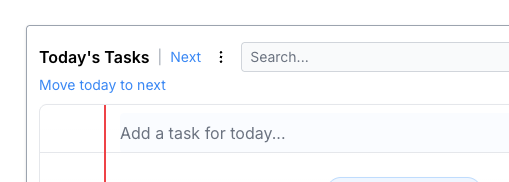
And clicking on the ellipsis shows more options
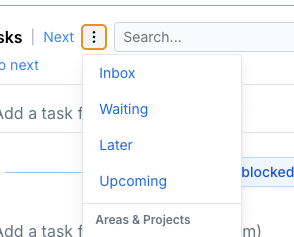
I’ll add this back to the Timeblocking view as well. On service in the hospital right now, but it’s on the list!