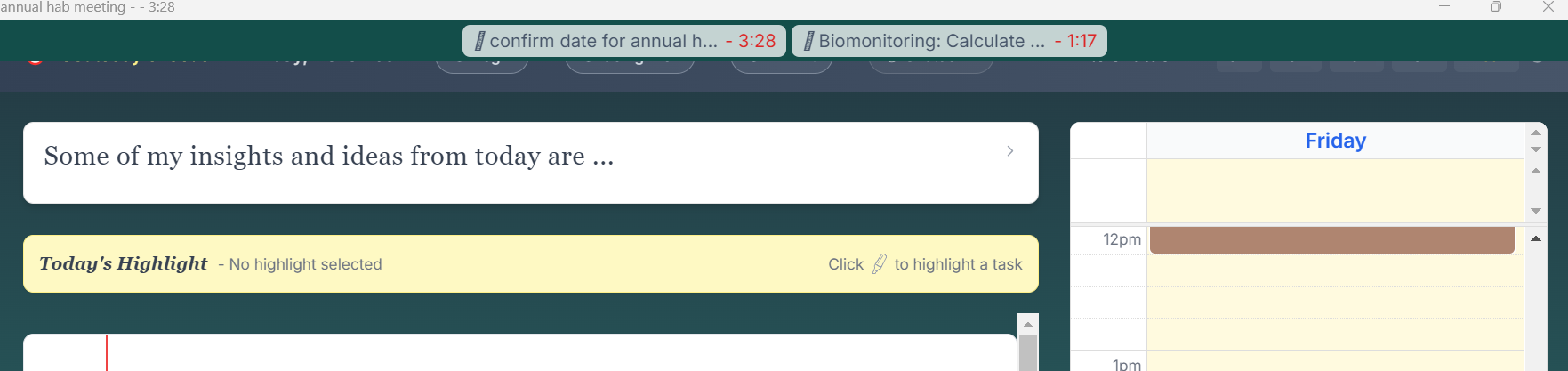
Hi there,
I had a couple of tasks that run over in time. I don’t see an option to turn them off now, they just keep on running.
Hi there,
I had a couple of tasks that run over in time. I don’t see an option to turn them off now, they just keep on running.
Hi @Bartski,
Yes - you are right! Usually you should be able to click on the timer and it will take you to the active timer view where you can stop them.
I’m working on a fix. Will send an update as soon as it is done!
Narath
Hey @Bartski ,
I’ve pushed an update to production which should fix this for you. Press F5 or Ctrl-R (Cmd-R on Mac) and the screen should refresh and the update applied. You will be able to click on any active timer and be taking to it.
I’ve also updated the task and calendar blocks so that if a task is active you will be able to (1) see that it is active and (2) jump to the active timer (just hit the “Focus” button).
Let me know if that solves it for you.
Best,
Narath